

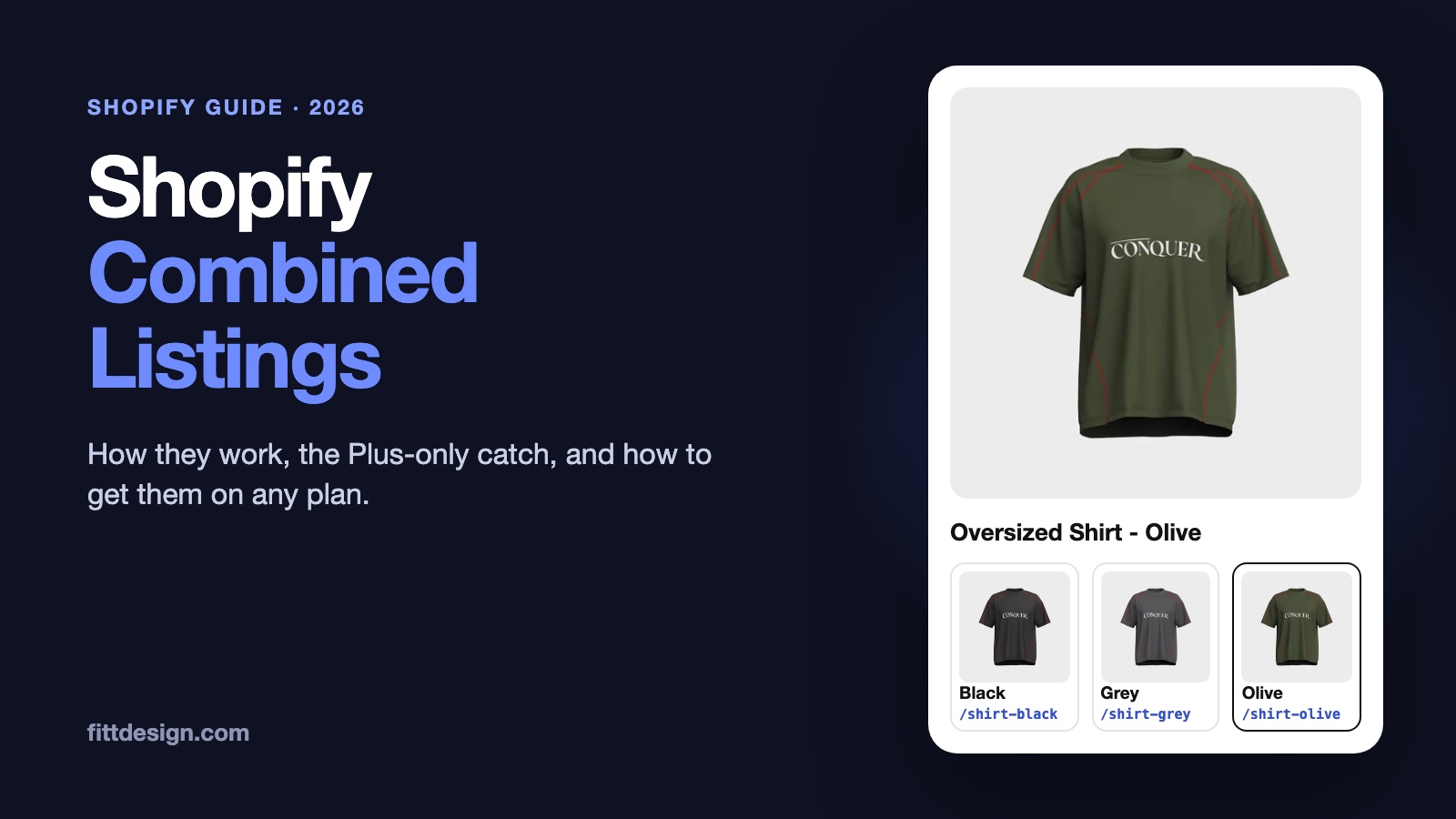
You sell a shirt in Black, Grey and Olive. You can set it up as one product with three color variants, or as three separate products. Variants keep shoppers on one page. Separate products give each color its own URL, photos and search listing. Combined listings let you have both.
This guide covers how Shopify combined listings work, when they're worth it, Shopify's own Combined Listings app and its Plus-only catch, and how to get the same result on any Shopify plan.
The short answer: a combined listing links separate products with swatches, so shoppers see one product with options while each color keeps its own page. Shopify's native Combined Listings app only works on Plus and enterprise plans, which start at $2,300 a month. On every other plan, an app like FD Combined Listings does the same job, and its free plan covers 10 groups.
1. What is a Shopify combined listing?
A combined listing is a set of separate Shopify products shown to shoppers as one product with options. Each color (or material, or style) is its own product, with its own URL, title, photos, description, inventory and reviews. On every one of those pages, swatches show the other colors. Clicking a swatch opens that color's product page.
That's the difference from regular variants. Variants live inside one product record: one URL, one shared photo gallery, one description, and at most 3 options. A combined listing is many product records linked together.

Option 2 is where most growing stores end up. Each color gets its own product for SEO, photos or inventory reasons, and the shopper on "Shirt - Olive" has no idea it also comes in Black. A combined listing is Option 2 with the links put back.
2. Do you need a combined listing, or are variants enough?
Variants are simpler, and for many products they're the right choice. Sizes, for example, almost always belong as variants. A combined listing pays off when the options are really different products:
- Each color has its own photos. With variants, every photo sits in one gallery and shoppers scroll past colors they didn't pick.
- People search for the color by name. "Olive oversized shirt" can get its own page, with its own title and meta description, instead of a variant on a page about every color.
- Each color should have its own card in collections. For example, a lookbook-style grid, or a "Green" collection that should only show green products.
- You need more than 3 options. Shopify allows 3 options per product. A legging with color, size, length and fabric needs 4.
- The colors differ in price, fabric, care notes or launch date. Separate products can carry different details and reviews.

One reason to split products is gone. Shopify used to cap a product at 100 variants, and many stores split products only to get under it. Since October 2025, every plan allows up to 2,048 variants per product. The limit of 3 options per product hasn't changed.
3. How Shopify's native Combined Listings app works
Shopify has its own free Combined Listings app, launched in June 2024. It uses a parent-child model:
- Child products are the products you already sell: the Black, Grey and Olive shirts. Shoppers buy these, and checkout and orders show these.
- A parent product is created when you create the listing. In Shopify's words, parent products "can't be purchased, don't have their own inventory, and don't have any sales data associated with them." The parent holds the shared option, like Color, and links to each child.
So a listing with 3 colors adds a 4th product to your admin. The parent starts as a draft. You can make it active, or unlisted, which hides it from collections and search but keeps its page reachable by URL.

The rules and limits
From Shopify's Help Center and developer docs, as of October 2026:
- Plus and enterprise plans only. "You must be on either a Plus or enterprise commerce plan." Shopify Plus starts at $2,300 a month on a 3-year term, or $2,500 a month on a 1-year term.
- Up to 60 products per listing, and up to 2,048 variants across them.
- Up to 3 options on the listing, on top of each product's own options.
- One listing per product. A product can only be in one combined listing at a time, and listings can't be nested.
- Online Store only. Combined listings can't be sold through Shopify POS, other third-party sales channels, bundles or subscriptions.
- Filters skip the children. With Search & Discovery filters, "the child products of a combined listing won't be included in the filter results."
- Theme support. Shopify's free themes show combined listings from version 15.0.0. Other themes "might require additional customization."
- Duplicating breaks it. A duplicated combined listing becomes a regular product.
4. How to set up combined listings on Shopify Plus
- Create the child products. Each color needs to be its own product with its own photos, title, price and inventory. If you're starting from one product with color variants, split it first.
- Install Shopify's Combined Listings app from the App Store. It's free on Plus.
- Create a combined listing. Pick the child products and name the option, for example Color.
- Set the option values. Type each value by hand (Black, Grey, Olive), or pick a category metafield to fill them in from existing metaobjects.
- Set the parent's status. It starts as a draft. Set it to active to show the parent in collections, or to unlisted to keep only the children there.
- Check your theme. Preview a child product page. On a free Shopify theme older than 15.0.0, or on a third-party theme, the swatches may not show without code changes.
5. Combined listings on any Shopify plan
Most Shopify stores aren't on Plus. For Basic, Grow and Advanced, a combined listings app gives shoppers the same thing: swatches on every product page that link to the other products in the group.
We built FD Combined Listings & Variant for this. Here is a live product page on our demo store:
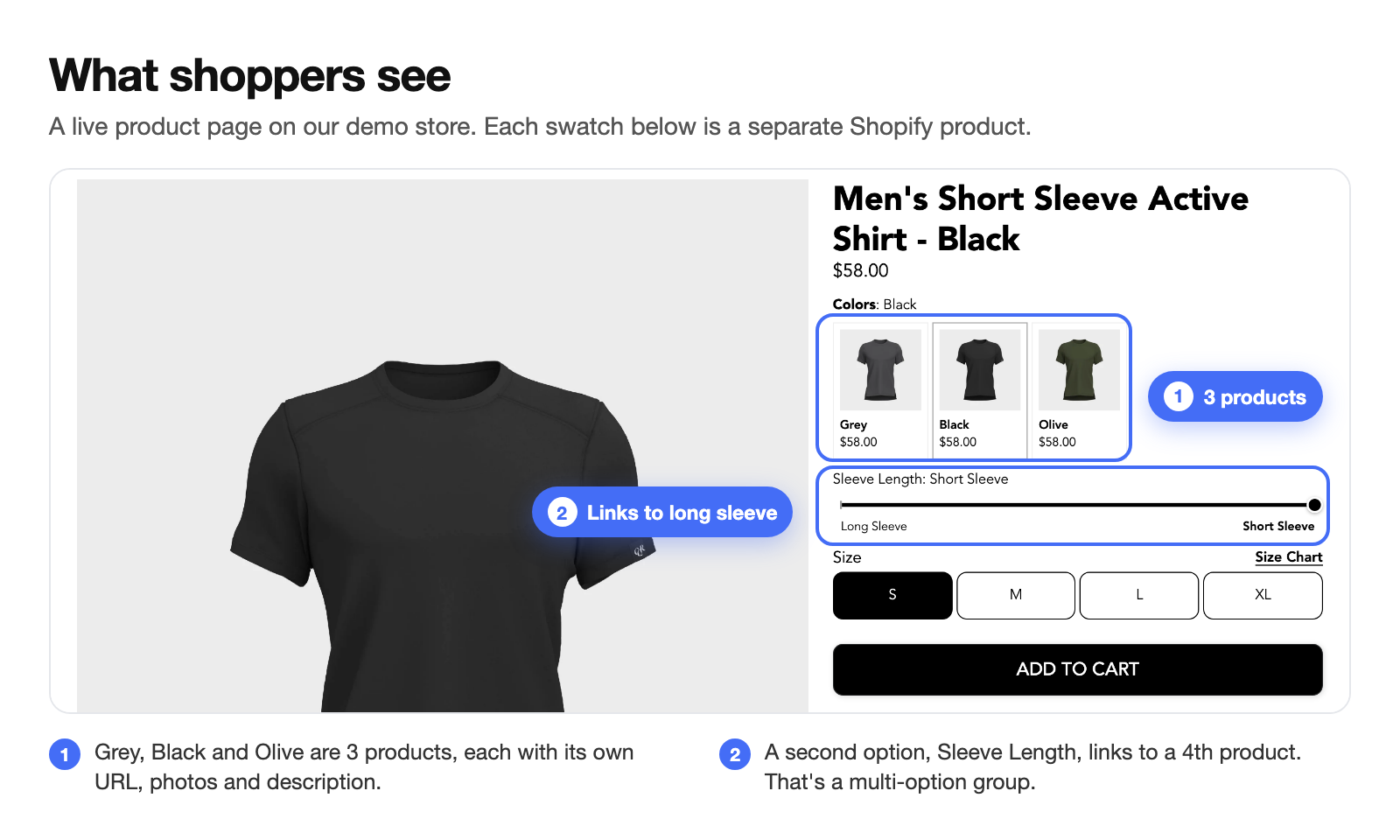
The app doesn't create a parent product. The group is saved by the app, and your products, variants and tags stay exactly as they are. That means:
- It works on every Shopify plan.
- Nothing new appears in your product list, and there is no parent page to keep out of search.
- Collection filters keep working, because every product is still a normal product.
- Uninstalling removes the swatches and leaves your products as they were.
Setting it up
- Install the app. The free plan includes 10 groups.
- Add the app block to your product page in the theme editor. The app has ready-made settings for 223 themes. If your theme doesn't support app blocks, we set up the placement for you.
- Create a group. Pick the products, name the option (Color), and set each value and swatch color or image. Smart fill suggests the values from your product titles.
- Save. The swatches go live on every product in the group.
For a large catalog, you don't need to build groups one by one. Bulk create groups from title patterns, handle patterns, a metafield or a CSV file. Automations add new products to the right group as you create them, based on title, handle, type, vendor, tags, price, collection or a metafield. You can also ask Shopify Sidekick to create a color group for you. Here's how that works.
Three kinds of groups
- Single option: one row of swatches, like Color.
- Multi-option: two or more options across products, like Color and Sleeve Length in the screenshot above.
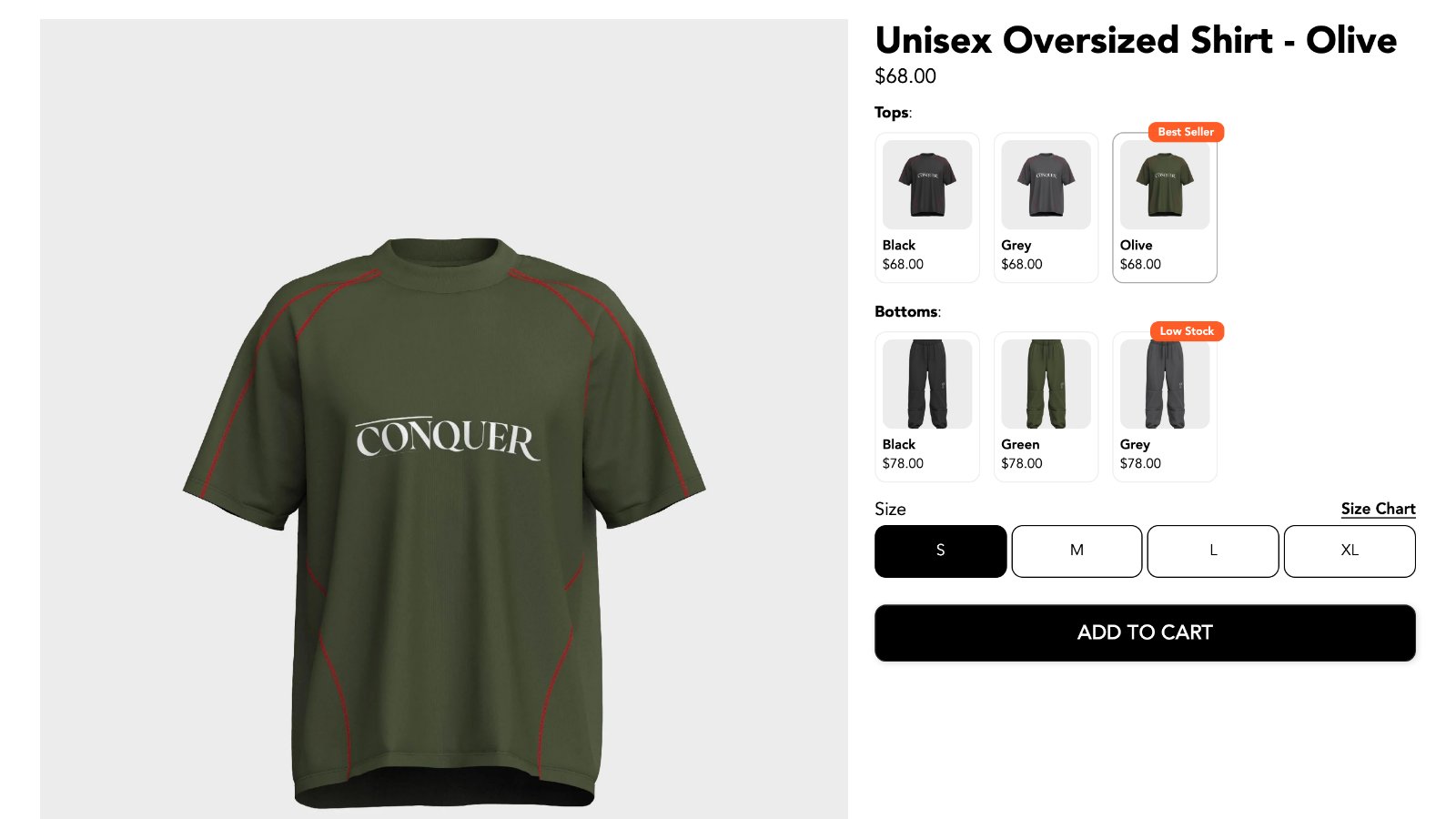
- Subcategory: separate rows for different kinds of products, like the tops and bottoms of a matching set.
6. Swatches on collection pages
A combined listing changes collection pages too. Without one, the same shirt fills three slots in the grid. With one, a single card per style shows its colors as swatches, so shoppers see more styles before they scroll.

To get one card per style, put one product per style in the collection, for example the best-selling color. An easy way is a tag such as main-color, used in the collection's conditions. The swatches on that card lead to the other colors.
If you'd rather show every color as its own card, leave all of them in the collection. Each card still shows the swatches, so shoppers can switch from any of them.
7. Combined listings and SEO
This is the main reason many stores use separate products. Each color gets its own URL, page title, meta description and product feed entry, so "olive oversized shirt" can rank as its own page and show the right photo in Google Shopping. With variants, every color shares one URL.
Separate pages only help if they're actually different. To get the SEO benefit:
- Put the color in the title and URL: "Oversized Shirt - Olive",
/products/oversized-shirt-olive. - Write a different description per color, even if only the first paragraph changes. Three copies of the same text are three pages competing with each other.
- Use each color's own photos and alt text.
- Let search engines find every color. On product pages that use its app block, FD Combined Listings renders swatches as normal links in the page HTML, so Google can follow them from any color to the others.
- Don't point every color's canonical tag at one product. That tells Google to ignore the other colors, which undoes the reason for splitting them.
If your colors really are identical apart from the color name, and nobody searches for them by color, variants are the safer choice.
8. Native Combined Listings vs. FD Combined Listings
| Shopify Combined Listings | FD Combined Listings & Variant | |
|---|---|---|
| Shopify plan | Plus or enterprise only (from $2,300/month) | Every plan |
| App price | Free | Free for 10 groups, $4.95/month for 1,000, $19.95/month unlimited |
| Extra parent product | Yes, one per listing | No |
| Products per group | Up to 60 | No fixed limit |
| Search & Discovery filters | Child products left out | Unchanged |
| Theme support | Free themes 15.0.0+; others may need code | App block, ready-made settings for 223 themes, custom placements for the rest |
| Swatch styles | Your theme's own | Color, two-color, image, circle, polaroid, button, dropdown, slider |
| Sold-out products | Your theme's own | Hide, fade, cross out, or sort to the end |
| Bulk grouping | In the app, or with the GraphQL API | Title, handle, metafield or CSV, plus automations |
| Group types | Up to 3 options | Single option, multi-option and subcategory |
If you're on Plus, already happy with your theme's swatches and fine with a parent product per listing, the native app is free and works well. If you're not on Plus, need filters to include every color, or want more control over how swatches look, use an app. We compared 10 of them on price and features in Best Shopify Combined Listings Apps in 2026.
9. Checklist before you start
- Name products in one pattern, like "Style - Color". Bulk grouping and smart fill read it.
- Use the same value names everywhere: "Olive" on every olive product, not "Olive", "olive green" and "OLV".
- Give each color its own photos, and set the first photo to the one you want on swatches and cards.
- Decide which product goes in collections when you want one card per style.
- Decide what happens to sold-out colors: hide them, fade them, or cross them out.
- Check a group on mobile before you roll it out to the whole catalog.
- Splitting variants into products? Do it before grouping. FD Combined Listings' paid plans include a split tool that turns the variants of one product into separate products.
Frequently asked questions
Do I need Shopify Plus for combined listings?
Only for Shopify's own Combined Listings app. On Basic, Grow and Advanced, apps like FD Combined Listings give shoppers the same linked swatches. See the best combined listings apps in 2026 for a comparison.
What's the difference between combined listings and variants?
Variants are options inside one product: one URL, one photo gallery, up to 3 options. A combined listing links separate products, each with its own URL, photos, description and inventory.
Will combined listings hurt my SEO?
No, if each product page has its own title, photos and description. Each color gets its own URL that can rank for searches that name the color. Pages that are copies of each other won't gain anything.
Do combined listings break collection filters?
With Shopify's native app, child products are left out of Search & Discovery filter results. FD Combined Listings doesn't change your products, so filters keep working.
Can I show combined listing swatches on collection pages?
Yes. FD Combined Listings shows swatches on collection cards as well as on product pages.
Does a combined listing change cart or checkout?
No. Shoppers buy the product for the color they picked, the same as without a combined listing.
Can I switch from another combined listings app?
Yes. FD Combined Listings imports groups from the CSV exports of Platmart, Color Swatch King, LinkedOption, Rubik and G: Combined Listings. Native Shopify combined listings can't be imported, but you can rebuild them in bulk from your product titles.
Try it on your store
FD Combined Listings & Variant is rated 5.0 on the Shopify App Store and has the Built for Shopify badge. The free plan covers 10 groups, and our team answers questions in the in-app chat.
Install FD Combined Listings for free | See what's new
About FittDesign
FittDesign is a design, manufacturing and ecommerce studio for apparel brands. We also build Shopify apps, including FD Combined Listings & Variant.


