

Series What our ecommerce clients ask us most · Part 8 of 9
- Shopify Ecommerce Checkout Optimization: 6 Strategies to Increase Conversions and AOV for your Shopify Store
- Shopify Tools and Apps That Turn Checkout Friction Into More Sales
- GA4 for Shopify: How to Set It Up, Test It, and Avoid Duplicate Tracking (Beginner's Guide)
- Shopify: Increase Product Page Conversions with Product Groups Swatches
- Shopify Combined Listings: The Complete Guide (2026)
- Best Shopify Combined Listings Apps in 2026: 11 Apps Compared on Price and Features
- Shopify Product Variants: The Complete Guide (2026)
- Shopify Variant Limit: 2,048 Variants, 3 Options, and How to Get Around Them
- Shopify Color Swatches: How to Add Them, With or Without an App
You sell a legging in 8 colors, 6 sizes, 3 lengths and 2 fabrics. That is 288 combinations across 4 options. Shopify will accept the 288 variants. It won't accept the fourth option.
Many pages still say Shopify stops at 100 variants per product. That stopped being true in October 2025. This post gives the limits as they stand in November 2026, what still breaks when a product goes past 100 or 250 variants, how to check your theme, and every real way around the 3-option limit, with the trade-offs.
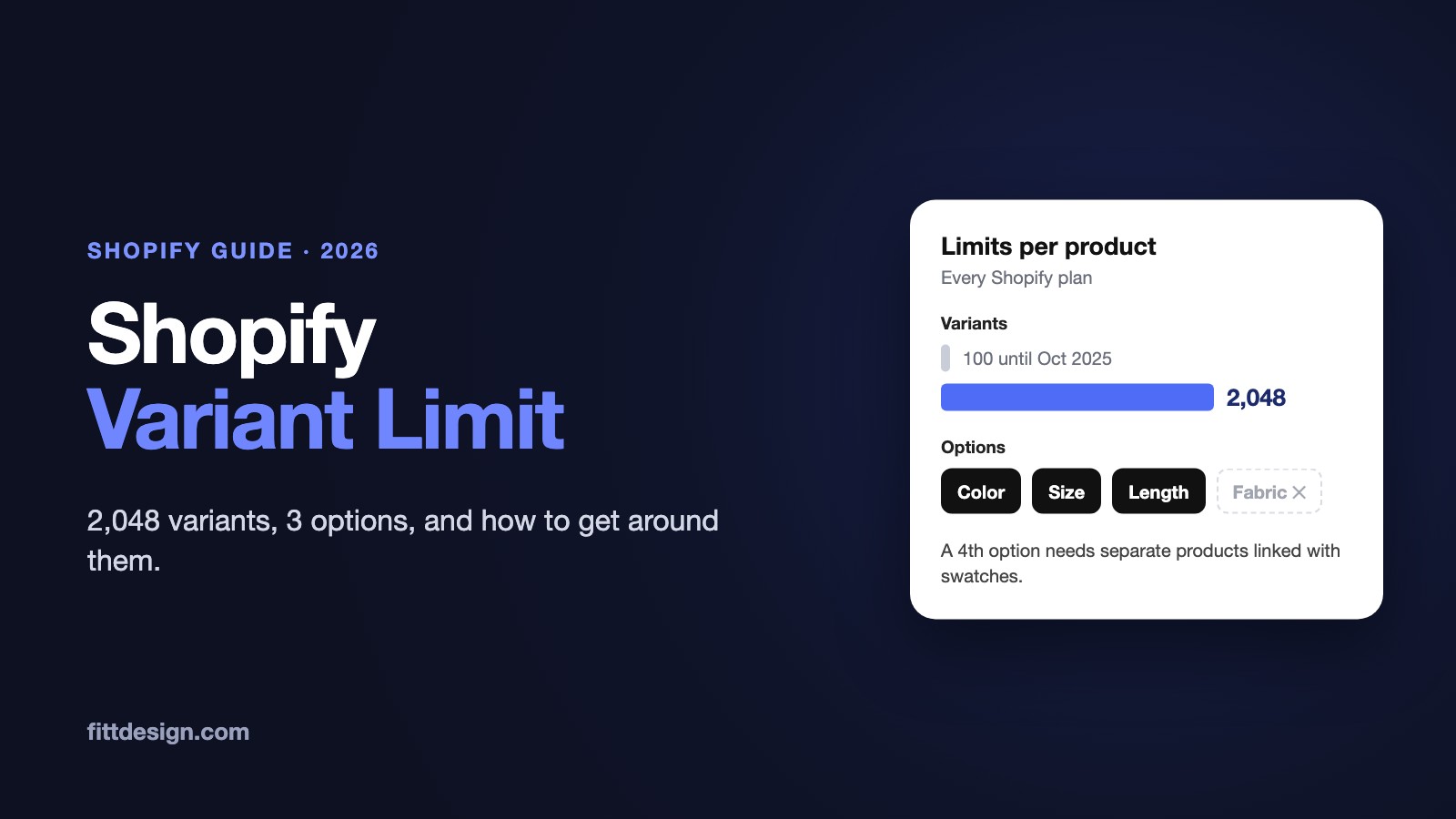
The short answer: every Shopify plan allows up to 2,048 variants and 3 options per product. The variant limit was 100 until October 15, 2025; the 3-option limit hasn't changed. Above 250 variants, themes that haven't been updated show only part of the product, and some apps, channels and Shopify features still stop at 100. To go past 3 options, split the product into separate products linked with swatches, merge two attributes into one option, or move choices that aren't stocked to line item properties or metafields.
1. Shopify's variant limits, exactly
These apply to every plan unless the row says otherwise. Sources are linked in the rows and in the sections below.
| Limit | Value | Notes |
|---|---|---|
| Variants per product | 2,048 | All plans (Help Center) |
| Options per product | 3 | All plans. Options can differ from product to product. |
| Values per option | No separate limit published | The 2,048-variant cap is what stops you |
| Media per product | 250 | Each variant can have one media item, taken from the product's media |
| Products per store | Unlimited | "Sell unlimited products" on every plan (pricing page) |
| New variants per day | 10,000 | Only once a store has 500,000 variants, for apps and CSV imports. Doesn't apply on Plus. |
| Product CSV import | 15 MB per file | Help Center |
Liquid product.variants | First 250 variants | Affects themes (section 3) |
Ajax /products/{handle}.js | 250 variants | Affects theme JavaScript and quick-add |
| REST Admin API products | 100 variants | Deprecated; apps must use GraphQL for more |
| Product webhooks | Full details for the first 100 variants | IDs only for the rest |
| Shopify Combined Listings app | 60 products, 2,048 variants across them, 3 extra options | Plus and enterprise only |
| Shopify Bundles app | 3 options, 100 variants per bundle | Shopify's own bundles app |
| Shopify Collective | 100 variants per product | Larger products must be split |
| Stocky, legacy Order Printer | 100 variants | Per Shopify's Help Center |
How fast 3 options add up
The variant count is the number of values in each option multiplied together. A T-shirt in 10 colors and 8 sizes is 80 variants. A legging in 8 colors, 6 sizes and 3 lengths is 144. Jeans in 12 washes, 13 waist sizes and 4 inseams are 624. Three options with 13 values each give 2,197, which is over the limit. With 12 values each you get 1,728, which fits.
So in practice the 2,048 cap is rarely the problem. The 3-option cap and the 250-variant theme limit are. For the basics of creating and editing variants, see our Shopify product variants guide.
2. From 100 to 2,048: what changed and when
For years Shopify capped every product at 100 variants and 3 options. The change took about a year and a half, because every app that reads products had to move to new APIs first.
| Date | What happened |
|---|---|
| April 2024 | GraphQL Admin API version 2024-04 adds new product APIs that support 2,048 variants (Shopify blog). The REST product and variant endpoints are deprecated as of 2024-04 and stay at 100 variants (REST docs). |
| July 3, 2024 | Dawn 15.0.0 ships with "Combined listings and 2k variants" support (release notes). |
| October 1, 2024 | The whole REST Admin API becomes a legacy API. |
| February 2025 | All public apps must use the new GraphQL product APIs. Plus stores can opt in to early access to 2,048 variants; Shopify staff said it was "being rolled out to Plus stores first" (developer forum). |
| April 1, 2025 | New public apps must be built only on the GraphQL Admin API. |
| October 15, 2025 | "It is now possible for all Shopify merchants to create products with up to 2,048 variants" (changelog, developer changelog). |
Three things follow from this history:
- Pages that say 100 are out of date, or they quote the REST API docs, which still say 100 because REST never got the new limit.
- Pages that say Plus only describe the early access period. Since October 15, 2025, the 2,048 limit applies to every plan.
- Nothing changed in the admin. Shopify's words: "Everything related to setting up products and their variants in Shopify admin has stayed the same." You add options and values the same way; the admin just accepts more of them. Shopify says creating a product at the 2,048 limit got 10 times faster over the project.
3. What still breaks above 100 and 250 variants
Shopify's own announcement warns that "merchants using apps that are not using the in-support GraphQL product APIs may have a downgraded or broken experience when creating or viewing products with more than 100 variants." Here is where that shows up.
Themes: the 250-variant line
To keep pages fast, Shopify restricted product.variants to a maximum of 250 variants in Liquid. The Ajax API does the same: "Product JSON responses are limited to a maximum of 250 variants." A theme that builds its variant picker by looping through all variants, or loads the product as JSON, only ever sees the first 250. Shopify's performance guide says such a picker "silently omits options on high-variant products."
What shoppers see: values missing from a picker, combinations shown as unavailable when they're in stock, or the wrong price or image after a selection. Nothing errors, so it's easy to miss.
Between 101 and 250 variants, Liquid returns everything, but Shopify still notes that "some third-party themes might not support more than 100 variants."
Apps and integrations
- Apps on the REST API. Shopify documents the REST product API with "a maximum of 100 variants" per product, and says: "If a custom app uses the REST Admin API, then they must migrate to the GraphQL Admin API." Check older custom apps and inventory or ERP connectors first.
- Webhooks. Product webhooks "return a full variants payload for the first 100 records." Variants 101 and up arrive as IDs only. An integration that treats the payload as the full product loses track of those variants.
- Public apps, theme app extensions and sales channels. Shopify says some of them "might not support more than 100 variants." Reviews, search, filters, feeds, upsell and quick-add apps all read variants. Ask each vendor, then test.
Shopify's own features with lower caps
- Shopify Collective: "Products with more than 100 variants aren't supported." Shopify tells suppliers to split them into products of 100 or fewer.
- Shopify Bundles: "Maximum of 3 options and 100 variants total per bundle."
- Stocky and the legacy Order Printer app don't support more than 100 variants.
Images
A product holds up to 250 media items, and each variant can show one of them. A 600-variant product can't give every variant its own photo. In apparel that's usually fine, because the photo changes with the color, not the size: assign the same image to every variant of a color.
Collections and search
A product is one card in collections and search, however many variants it has. A legging in 8 colors shows one card, with one main photo. Shopify's own advice: if you want specific variants to show in collection and search grids, use combined listings, which means separate products (section 6).
Bulk edits and CSV
Every variant has its own price, SKU, barcode and stock count at each location. A 600-variant product stocked at 3 locations has 1,800 stock counts. In product CSV imports, Shopify warns that changing the Option1, Option2 or Option3 value columns "deletes existing variant IDs, and creates new variant IDs." Anything that stored the old IDs, such as an app, an ad feed or an ERP, loses track of them.
4. How to check if your theme handles high-variant products
- Check your theme version. In your Shopify admin, go to Online Store and click the version number of your theme. For Dawn, you need 15.0.0 or later, the release that added 2,048-variant support. Shopify also lists 15.0.0 as the minimum for its free themes to display combined listings.
- Update a free theme if needed. When an update exists, a notification replaces the version number. Click it, then Add to draft themes. Shopify adds an "Updated copy of" your theme and keeps your theme editor settings. Code edits carry over only if they don't conflict, so save a copy of any custom code first (Help Center). Review the draft, then publish it.
- For a third-party theme, check the developer's release notes for "2,048 variants" or "high-variant products", or ask them.
- Build a test product with more than 250 variants. For example, 12 colors, 8 sizes and 3 lengths make 288. Leave it out of your collections and menus, open its page, and check:
- every value of every option shows in the picker;
- the last combination (last color, last size, last length) shows the right price, image and stock, and adds to cart;
- quick-add on a collection card and the cart drawer work for that combination;
- the same on mobile.
- Test every app that touches products with the same product: reviews, search and filters, feeds, inventory sync, upsells.

What a developer looks for in the code
Shopify's guide to supporting high-variant products says to audit the theme for product.variants and product | json. This pattern only ever sees 250 variants:
{%- for variant in product.variants -%}
  <option value="{{ variant.id }}">{{ variant.title }}</option>
{%- endfor -%}
The fix is to build pickers from product.options_with_values, use the product_option_value object for each value's availability and variant, and load the next state with the option_values URL parameter and the Section Rendering API. Code like product.variants.first or product.variants.size > 1 still works, because it doesn't need the full list. Shopify points to Dawn's variant picker as an example.
5. The 3-option limit, and why apparel hits it
An option is an attribute the shopper picks that creates a separate variant, with its own SKU, price and stock. Apparel runs out of options fast. Color and size take two. The third goes to length, inseam, fit (regular, petite, tall), cup size, fabric or pack size, and a product often needs two of those.
Take the legging: Color (8), Size (6), Length (3: 7/8, full, capri) and Fabric (2: matte, shine). Four options, 288 combinations. Shopify's Help Center gives two ways past this: "use a third-party app from the Shopify App Store, or customize your theme code to extract line item properties", plus Combined Listings on Plus. There are a few more, below.
Before choosing one, sort each attribute with one test: does it change what you stock, pick and ship? If yes, it needs a variant somewhere. If it's only information (fabric content, care, model height), it's a metafield. If it's a request you make to order (a monogram, a custom hem), it's a line item property.
6. Five ways around the 3-option limit
a. Split into separate products and link them with swatches
Make one product per color: "Legging - Black", "Legging - Olive", and so on. Each keeps Size, Length and Fabric as its 3 options, so each has 36 variants. Swatches on every product page link the colors, so shoppers still see one legging in 8 colors.
This is the only method that keeps real variants, with SKU and stock, for all 4 attributes. It also gives each color its own URL, photos, title and collection card, which helps when people search by color. The costs: 8 products to manage instead of 1, and reviews split per color unless your reviews app groups them.
How you link the products depends on your plan:
- Shopify's Combined Listings app works only on Plus and enterprise plans. A listing holds up to 60 products and 2,048 variants across them, and adds up to 3 options on top of each product's own. A product can be in only one listing, listings display only on the online store, and Search & Discovery filters leave out the child products. It also creates a parent product per listing.
- Apps do the same on every plan. We compared the Shopify combined listings apps on price and features. Ours, FD Combined Listings & Variant, links separate products without merging or changing them, and its multi-option groups can link products on two attributes at once, for example Color and Fabric. That leaves each product all 3 of its own options for Size, Length and Fit.
Our combined listings guide covers the setup and the SEO side, and our post on Shopify color swatches covers how the swatches themselves are added.
b. Merge two attributes into one option
Turn Color and Fabric into one option with values like "Black / Matte" and "Black / Shine". The legging now has 3 options: Color-Fabric (16 values), Size and Length. Still 288 variants, all native, each with its own SKU and stock.
The costs: the merged list is long, and a color filter now has values like "Black / Matte", so a shopper filtering for black has to tick two boxes. Merging frees an option but doesn't reduce variants, and at 288 this product needs a theme that handles more than 250. It works best when the two attributes are always chosen together, such as a print and its base color.
c. A product options app with line item properties
Product options apps, such as Infinite Options, add extra fields to the product page: dropdowns, swatches, text boxes, file uploads. The choice travels with the cart line as a line item property and appears on the order. It's not a variant, so it doesn't count toward 3 options or 2,048 variants.
The costs are real for stocked goods:
- No SKU and no stock count for the choice. If Fabric is a property, Shopify can't tell you how many shine leggings you have left, or stop selling them when you run out.
- No price of its own. A property is text. To charge for it, the app has to add the charge some other way, often as a separate add-on item in the cart. Changing a cart line's price directly with a Cart Transform function is only available to apps on Plus stores (Shopify docs).
- It depends on the app being on the page. Check it works on your theme, quick-add and any other channel you sell on.
Use it for made-to-order choices: monograms, custom hem lengths, gift notes. If you build it yourself, a field named properties[Monogram] inside the product form does the job, and a name starting with an underscore is hidden from customers at checkout.
d. Bundles
Sometimes the extra attribute is really a second product: a set of top and legging, or a 3-pack. Sell those as a bundle, where each component keeps its own options and stock. The Shopify Bundles app allows up to 30 components in a fixed bundle and 150 in a dynamic one, with a maximum of 3 options and 100 variants per bundle. You can combine matching options, like Size on both pieces, so the shopper picks it once; the combined option counts as one of the three. Bundles don't help a single garment with 4 attributes.
e. Metafields for information that isn't a choice
If each color only comes in one fabric, Fabric isn't an option, it's a fact about the product. Put it in a product metafield and show it with the theme editor's dynamic sources. Storefront filters can use product metafields, so shoppers can still filter by fabric. Fabric content, care instructions, fit notes, rise and model size all belong here. Metafields can also feed options: Shopify lets you build variant options from category metafields, and color entries can then show as swatches on your product pages.
Comparison
| Method | SKU and stock per choice | Own URL and card per color | Plan | Main cost |
|---|---|---|---|---|
| Separate products + swatches | Yes | Yes | Native app: Plus only. Apps: every plan. | More products to manage; reviews split per product |
| Merge two attributes into one option | Yes | No | Every plan | Long value lists, clumsy filters, more variants on one page |
| Options app (line item properties) | No | No | Every plan; price changes on the cart line need Plus | No stock tracking, extra app on the page |
| Bundles | Yes, per component | No | Shopify Bundles app or a bundles app | Only fits sets and packs; 100 variants per bundle |
| Metafields | Not a choice | No | Every plan | Only for information, not for things the shopper picks |
7. When 2,048 variants on one product is a bad idea
The higher limit lets you put a whole range into one product. It doesn't mean you should. Split instead when any of these is true:
- The colors have their own photos. One product has one gallery and one card. Shoppers scroll past colors they didn't pick, and you can't put the olive version in a "Green" collection on its own.
- People search for the color. One product has one URL and one title. "Olive high-waist legging" can't get its own page.
- Something you use stops at 100. Shopify Collective, Shopify Bundles, Stocky, legacy Order Printer, or any app you haven't tested.
- The product would pass 250 variants and your theme isn't verified. Run the test in section 4 first.
- Shoppers would face long pickers full of sold-out combinations. Three dropdowns with 12 values each give 1,728 combinations, and when stock is thin most are sold out.
- Your team counts stock. Every variant at every location is a count to keep right, and a mistake on one product affects every color.
One big product is the right call when the variants really are the same item in different fits. A dress shirt in one color with 10 neck sizes, 6 sleeve lengths and 3 fits is 180 variants. Nobody searches for "16.5 neck, 35 sleeve" as its own page, and the photos don't change. Keep it as one product, on a theme you have tested above 100 variants.
The rule we use with apparel brands: sizes and other fit attributes go in variants; colors become separate, linked products once they have their own photos or search demand. If you're moving from one big product to linked ones, FD Combined Listings includes a split tool that turns the variants of one product into separate products.
Frequently asked questions
What is the variant limit on Shopify?
2,048 variants per product, on every plan. Each product can have up to 3 options, such as color, size and length.
Is the Shopify variant limit still 100?
No. Shopify raised it from 100 to 2,048 for all merchants on October 15, 2025. The old REST Admin API, Shopify Collective, Shopify Bundles, Stocky and the legacy Order Printer app still stop at 100.
Do I need Shopify Plus for 2,048 variants?
No. Plus stores got early access in 2025, but since October 15, 2025 the limit applies to every plan. Shopify's own Combined Listings app is still Plus and enterprise only.
Can a Shopify product have more than 3 options?
Not natively. Split the product into separate products linked with swatches, merge two attributes into one option, or use a product options app that stores the extra choice as a line item property, without its own stock. There are several combined listings apps compared here for the first route.
Why does my product page only show some variants?
Your theme probably loads variants with product.variants or the product JSON, which return at most 250 variants. Update the theme, or have a developer move the picker to product.options_with_values.
How many images can a Shopify product have?
Up to 250 media items per product. Each variant can show one of them.
How many products can I have on Shopify?
Unlimited on every plan. Once a store has 500,000 variants, apps and CSV imports can add up to 10,000 new variants a day, except on Plus.
Try it on your store
If your products have more attributes than 3 options can hold, or more colors than one product page shows well, FD Combined Listings & Variant links separate products with swatches on product pages and collection cards. It works on every Shopify plan and every theme, doesn't change your products, and is rated 5.0 on the Shopify App Store with the Built for Shopify badge. The free plan covers 10 groups.
Install FD Combined Listings for free | See what's new
About FittDesign
FittDesign is a design, manufacturing and ecommerce studio for apparel brands. We also build Shopify apps, including FD Combined Listings & Variant.